If you use Cleft Notes, you already know the appeal of turning spoken thoughts into structured, searchable text. The app sits in a crowded field of AI voice transcription and notetaking tools, and there are real reasons someone might shop around. Maybe pricing has shifted, maybe you need better language support, or maybe a different workflow fits the way you actually capture ideas. This guide compares the strongest alternatives currently available on HyperStore so you can pick the right tool without starting from zero.
Why look for a Cleft Notes alternative?
The most common reason people leave Cleft Notes is workflow fit. Voice tools differ sharply in how they handle long recordings, multi-speaker meetings, and post-recording editing, so the right tool depends on whether you dictate, attend meetings, or capture scattered thoughts on the go. Price tier changes are another trigger, especially when free tiers add or remove features like transcription minutes, language coverage, or export options. Platform support matters too: if you work across desktop, mobile, and browser apps, a tool that only runs on one device can become a real bottleneck. None of these are reasons to leave on their own, but together they explain why cleft notes alternatives get steady interest.
What to look for in a Cleft Notes alternative
Transcription accuracy and language coverage
Accuracy is the foundation. Look for tools that publish clear performance data on noisy audio, accents, and technical vocabulary, and check whether the languages you actually dictate in are supported at production quality rather than as a beta add-on. According to Wikipedia's overview of speech recognition, modern systems vary widely on multilingual performance, so it is worth testing with your own voice and accent before committing.
Structure and post-recording editing
Raw transcripts are rarely the final product. The best alternatives turn speech into headings, bullet points, action items, or summaries you can edit, export, and share. Look for tools that make it easy to clean up filler words, restructure sections, and push the result into the apps you already use, whether that is a notes app, a CRM, or a project board.
Pricing, free tier, and usage limits
Voice tools often price by minutes, seats, or feature gates. Before switching, map out roughly how many hours of audio you capture per month, whether you need real-time transcription, and whether the free tier covers that comfortably. A cheaper plan is not a win if it forces you to manually reformat transcripts you used to get for free.
Platform and integration support
If you dictate on a phone, attend meetings on a laptop, and review notes on a tablet, the tool needs to follow you across all three. Browser extensions, mobile apps, and direct integrations with calendars, email, and cloud storage are worth weighing against raw transcription quality, because the friction of moving audio between devices quietly kills adoption over time.
The best Cleft Notes alternatives
Echonote
Echonote focuses on turning voice notes into clean, structured written content using AI transcription and formatting, which puts it in roughly the same lane as Cleft Notes. Where it differentiates is the emphasis on output structure rather than just raw text, so it suits users who want their spoken thoughts to arrive as ready-to-share notes. The free tier makes it a low-risk way to compare workflows against Cleft Notes before paying for either tool.
FastlyConvert
FastlyConvert is a straightforward audio and video to text converter built around AI transcription. Compared to Cleft Notes, it leans more toward file-based conversion than live dictation, which makes it a strong fit if your workflow starts with recordings on disk rather than a microphone button. It is free on HyperStore, so it works well as a backup tool even if you keep Cleft Notes as your primary recorder.
Mumble Note: AI Voice Notetaker
Mumble Note is built for capturing scattered thoughts and turning them into organized, actionable notes, which lines up closely with Cleft Notes' core promise. The framing around scattered thoughts suggests a lighter, faster capture experience rather than a meeting-focused workflow. It is a good fit for users who dictate frequently but rarely sit through hour-long recorded sessions.
Recal
Recal positions itself as an AI second brain for meetings and conversations, summarizing and organizing what gets said into actionable insights. Versus Cleft Notes, the center of gravity shifts toward meetings, summaries, and follow-up tasks rather than raw voice journaling. If your pain point with Cleft Notes is that transcripts are too long and too unstructured, Recal's summarization angle is the main thing to test.
TalkToTextly
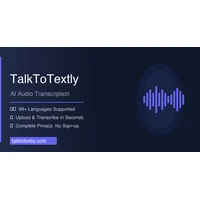
TalkToTextly is an AI audio transcription tool that supports 24 languages, which gives it a clear edge over apps with narrower language coverage. Against Cleft Notes, it is worth comparing specifically on the languages you actually use and on accuracy in your target languages, since multilingual support quality varies widely across providers. It is free on HyperStore, so testing it on real audio is straightforward.
Yakki
Yakki is an AI voice dictation tool with context awareness that works across multiple applications, putting it closer to a system-wide typing alternative than a standalone notes app. Compared to Cleft Notes, the trade-off is depth versus reach: you get dictation everywhere on your device, but you may get fewer app-specific organization features. It suits users who want voice input in email, documents, and chat rather than a dedicated notes environment.
How to choose
If you primarily dictate into a single notes app, start with Echonote or Mumble Note to compare structure and editing flows side by side with Cleft Notes. If your pain is meetings producing transcripts you never read, Recal's summarization focus is the most direct upgrade. For file-based audio and video already on your computer, FastlyConvert is the cleanest fit. TalkToTextly is the right pick when language coverage is the deciding factor, and Yakki suits anyone who wants voice dictation to follow them across every application, not just a notes tab.
Frequently asked questions
Is there a free Cleft Notes alternative?
Yes. Echonote, FastlyConvert, Mumble Note, Recal, TalkToTextly, and Yakki are all available as free options on HyperStore, though free tiers usually include usage limits or feature gates. Testing two or three against your actual recordings is the fastest way to see which free tier covers your real workload.
What is the best Cleft Notes alternative?
There is no single winner, because the best fit depends on whether you need meeting summaries, multilingual support, system-wide dictation, or a quick capture experience. Recal leads on meeting summarization, TalkToTextly on language coverage, and Yakki on cross-application dictation, while Echonote and Mumble Note stay closest to Cleft Notes' core use case.
Which Cleft Notes alternative is best for meetings?
Recal is built around meetings and conversations, so it is the most natural starting point. FastlyConvert also handles meeting recordings well if you already save them as audio or video files. For live meeting attendance, check whether the tool integrates with your calendar and conferencing platform.
Which Cleft Notes alternative supports the most languages?
TalkToTextly supports 24 languages, which is the broadest explicitly stated coverage among these alternatives. According to Wikipedia's entry on automatic speech recognition, quality varies widely across languages even within the same model, so test it on a real sample in your target language before relying on it for important work.
Can I use these tools alongside Cleft Notes?
Yes. Many users keep Cleft Notes for quick capture and add a second tool for specific jobs, like FastlyConvert for archived audio or Yakki for dictating into other apps. Running two tools in parallel for a week or two is a reasonable way to figure out where each one earns its place.
Switching voice tools is less about finding a perfect replacement and more about matching the tool to the way you actually capture and use spoken content. The apps above all take slightly different routes to that goal, and the right one is the one that disappears into your workflow rather than reshaping it.