Yakki is an AI-powered voice-to-text app that turns spoken words into written content, helping users dictate emails, documents, and messages hands-free. It sits in a growing category of dictation tools that lean on speech recognition and large language models to clean up transcripts in real time. People look for Yakki alternatives for familiar reasons: a free tier is missing, the platform coverage is limited, the language support is too narrow, or the transcription accuracy simply does not hold up on their accent or vocabulary.
Why look for a Yakki alternative?
Yakki works well for many users, but no single tool fits every workflow. Some people need a tool that runs entirely offline because they handle sensitive client material and cannot send audio to the cloud. Others want a free option while they evaluate whether AI dictation fits into their routine at all. A third group has hit accuracy walls with strong accents, technical jargon, or non-English languages and wants a model trained on broader audio data.
Price is another recurring trigger. Subscription fatigue is real, and a one-time purchase or a genuinely free tier can be more attractive than another monthly line item, especially for freelancers and students. Platform reach also matters: if you live inside a browser, in a specific operating system, or in a particular writing app, the tool that integrates best with that environment will usually beat a more generalist option.
What to look for in a Yakki alternative
Accuracy on your voice and vocabulary
Raw transcription accuracy is the single most important factor, and it varies more than marketing pages suggest. Look for tools that publish accuracy benchmarks, support custom vocabulary, and handle punctuation intelligently. If you dictate in a second language, confirm that the language model has real training data for it rather than a thin translation layer on top of English.
Platform and app integration
Where will you actually dictate? A native macOS app behaves very differently from a browser extension or a Windows utility. Decide whether you need system-wide dictation, in-app text boxes, or a dedicated editor, and pick the tool whose footprint matches that workflow. According to Nuance, one of the long-standing voices in speech recognition, deep OS-level integration tends to produce the smoothest experience.
Pricing model and data handling
Free, freemium, one-time, and subscription models all exist in this category, and the right answer depends on your volume. Equally important is what happens to your audio: does it stay on device, get processed in the cloud, or get used to train future models? Tools that process audio locally, as Apple documents for macOS Voice Control, have a real privacy edge.
Editing and cleanup features
Raw transcripts are rarely the final draft. Look for AI-powered cleanup that removes filler words, fixes grammar, and applies your formatting style. Some tools let you create custom prompts so the output reads like you, not like a generic voice assistant.
The best Yakki alternatives
CiteTrue
CiteTrue is an AI-powered citation verification tool that ensures academic citations are accurate and authentic. It sits at the opposite end of the spectrum from Yakki: where Yakki helps you produce words from speech, CiteTrue helps you verify the references in those words. It is a strong companion rather than a direct replacement, and it is free on HyperStore, which makes it an easy add-on for students, researchers, and anyone who writes papers with a bibliography.
Clico
Clico is a browser extension that brings AI-powered writing assistance directly into your text boxes. Unlike Yakki, which is built primarily around dictation, Clico lives wherever you already type on the web: email clients, docs, social media, forms. It suits users who want AI help while typing rather than while speaking, and the free price point makes it a low-risk starting point for people who are still curious about AI writing tools.
EchoWrite
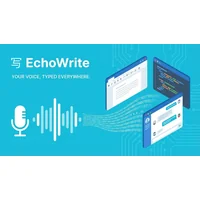
EchoWrite transforms your voice into polished text across Windows apps with AI-powered dictation and real-time transcription. If Yakki's platform coverage is what is pushing you away, EchoWrite is the closest alternative for Windows users, since it works across applications rather than inside a single editor. It is free on HyperStore, which makes it especially attractive to anyone leaving a paid tool.
Freeway
Freeway is a free macOS voice-to-text app that converts speech to text in real-time using on-device processing. The on-device angle is the headline difference from Yakki: nothing leaves your Mac, which matters for lawyers, doctors, journalists, and anyone handling confidential material. macOS users who value privacy over cloud features will find Freeway the most natural fit.
HoldSpeak
HoldSpeak is an AI speech-to-text app that triples your typing speed across any application, supporting 100+ languages offline. The broad language support is its standout feature, well beyond what most dictation tools offer, and the offline mode means it works on planes, in clinics, and behind strict firewalls. It is a paid app, which is a fair tradeoff for users who need multilingual coverage and reliability without an internet connection.
Sleekio
Sleekio is an AI writing assistant that transforms natural speech into polished, professional text across any application. Like Yakki, it is built for the speak-to-write workflow, but it leans harder into the cleanup stage, aiming for prose that is ready to send rather than a transcript you need to edit. It is free on HyperStore, which makes it a sensible choice for professionals who dictate often and want a more finished output by default.
How to choose
Pick Freeway if you are on macOS and want fully offline transcription. Choose EchoWrite if you live in Windows and want system-wide dictation. HoldSpeak is the right call when you need many languages or reliable offline use on a budget that can stretch to a paid tool. Clico fits people who type more than they speak. Sleekio suits anyone who wants more polished output from their dictation. CiteTrue is the add-on to install alongside any of these if academic or research writing is part of your workflow.
Frequently asked questions
Is there a free Yakki alternative?
Yes. EchoWrite, Freeway, Sleekio, and Clico are all free on HyperStore, and each covers a different use case from Windows dictation to macOS offline transcription to in-browser writing help.
What is the best Yakki alternative overall?
It depends on your platform. Freeway is the strongest pick for privacy-conscious macOS users, EchoWrite for Windows, and HoldSpeak for anyone who needs wide language support or reliable offline use.
Which Yakki alternative works offline?
Freeway processes audio on-device on macOS, and HoldSpeak supports offline use across 100+ languages. Both are worth shortlisting if cloud processing is a dealbreaker.
Can I dictate in languages other than English?
HoldSpeak is the most language-flexible option in this list, with support for more than 100 languages including offline modes. Always test with your specific language and accent before committing.
Do any of these tools also clean up my transcripts?
Sleekio and Yakki both lean toward polished output rather than raw transcripts. Clico adds AI writing help while you type, which can serve a similar role if you switch between dictation and keyboard input.
Yakki remains a solid voice-to-text app, but the alternatives above cover gaps that matter in the real world: free pricing, offline processing, broader language support, Windows coverage, and academic workflows. Try two or three on HyperStore and keep the one that disappears into your routine. The best dictation tool is the one you actually use.