Screenshots
About RocketScribe
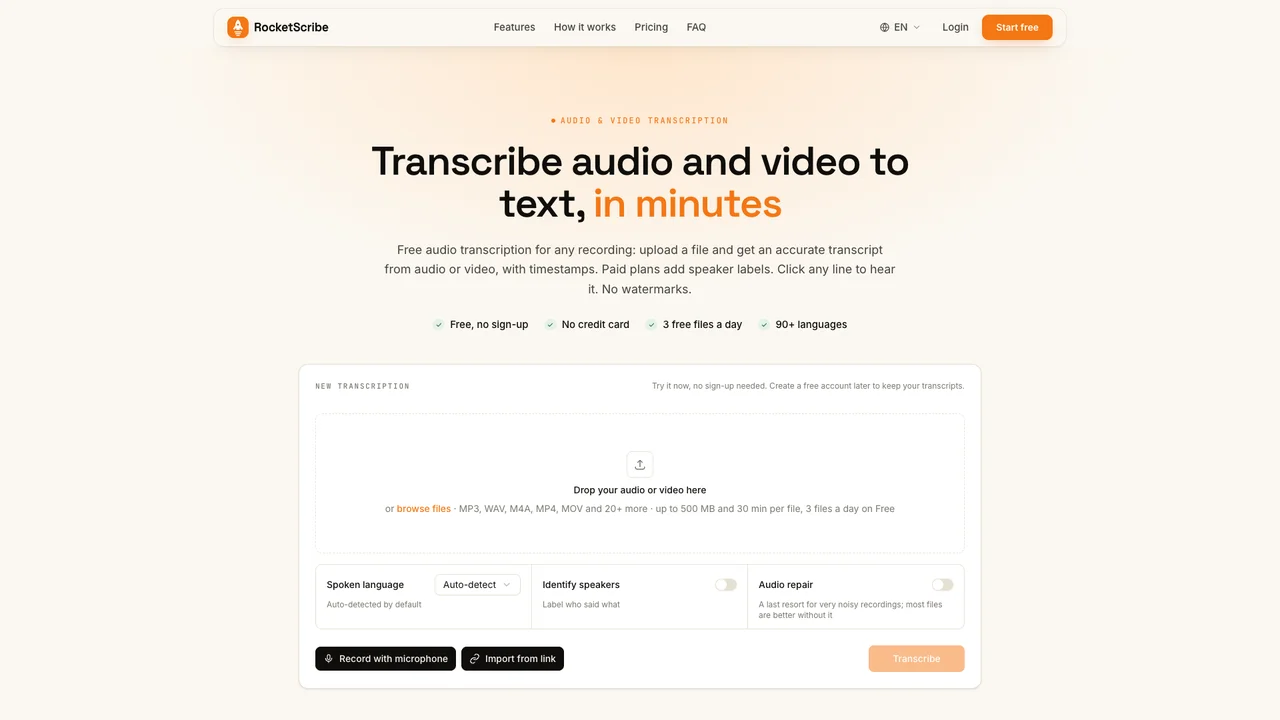
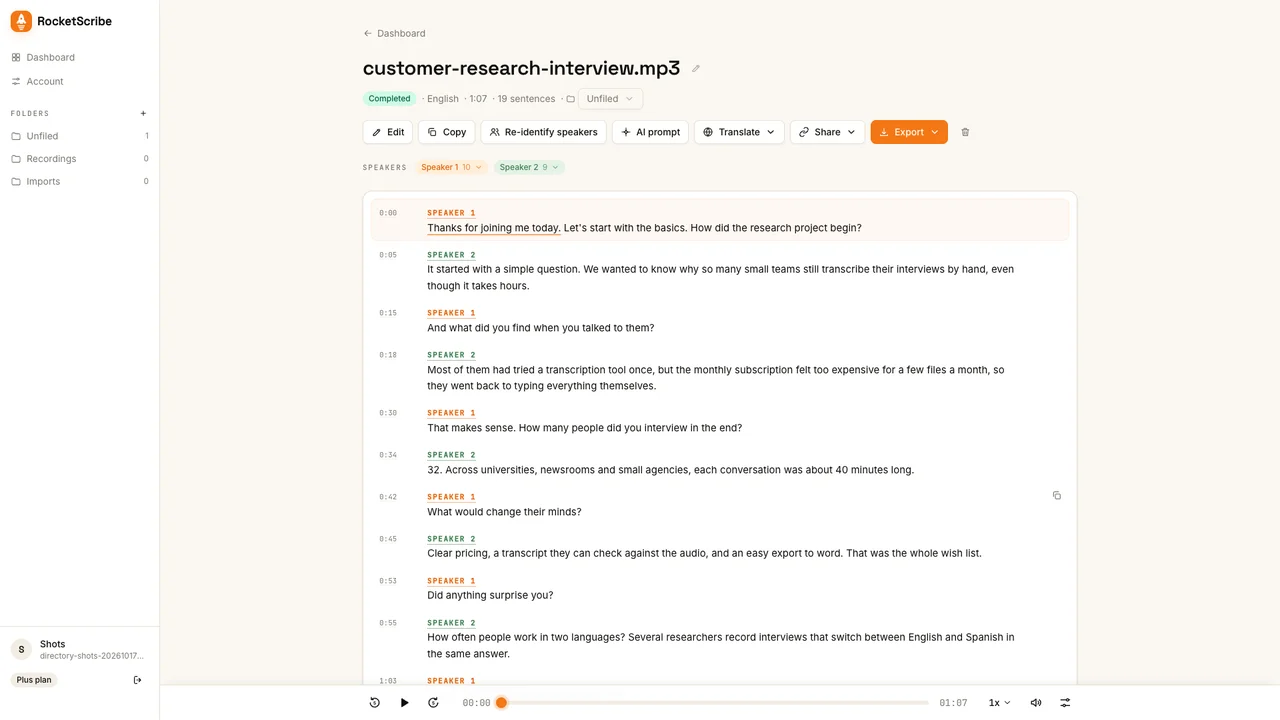
Upload a recording and RocketScribe's speech recognition writes it out for you, with a timestamp on every line and the speakers labelled. It is built for people who transcribe interviews, lectures, podcasts, meetings and voice notes and want a transcript they can actually work with, not a wall of text.
The AI side:
• Automatic language detection in 90+ languages, or pick one yourself
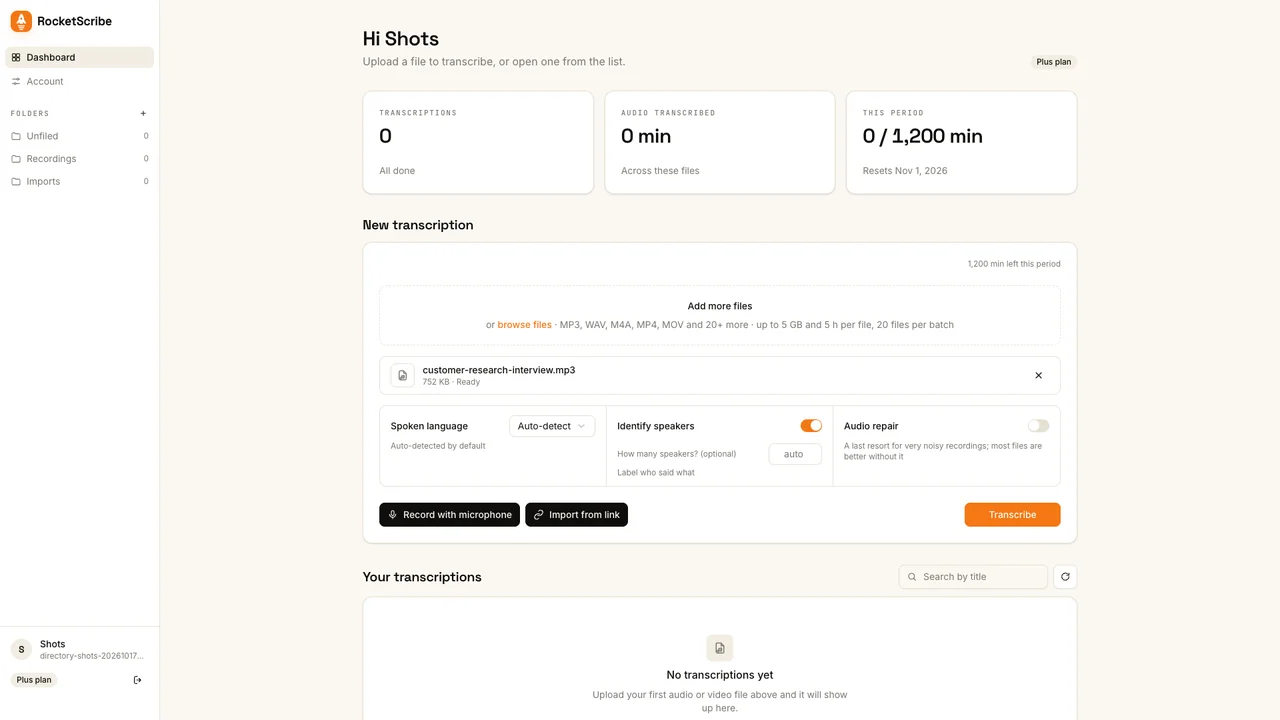
• Speaker identification that you can rename once for the whole transcript
• Word timestamps that drive a click-to-play editor and subtitle cues for SRT/VTT
• An AI prompt export that hands the transcript to your own assistant for summaries and notes
Large files upload in resumable parts (up to 5 GB on paid plans). No watermarks, no app to install. Free to try with no account; paid plans start at $6/month, and a $10 Minute Pack covers 10 hours.
Features
- - AI transcription of audio and video in 90+ languages, with automatic language detection (mixed Chinese–English supported)
- - Speaker identification that labels who said what; rename a speaker once and the whole transcript updates (paid plans or Minute Pack)
- - Word-level timestamps and a synced editor: the current line highlights as audio plays, click any line to jump there
- - Edit the transcript in place while listening
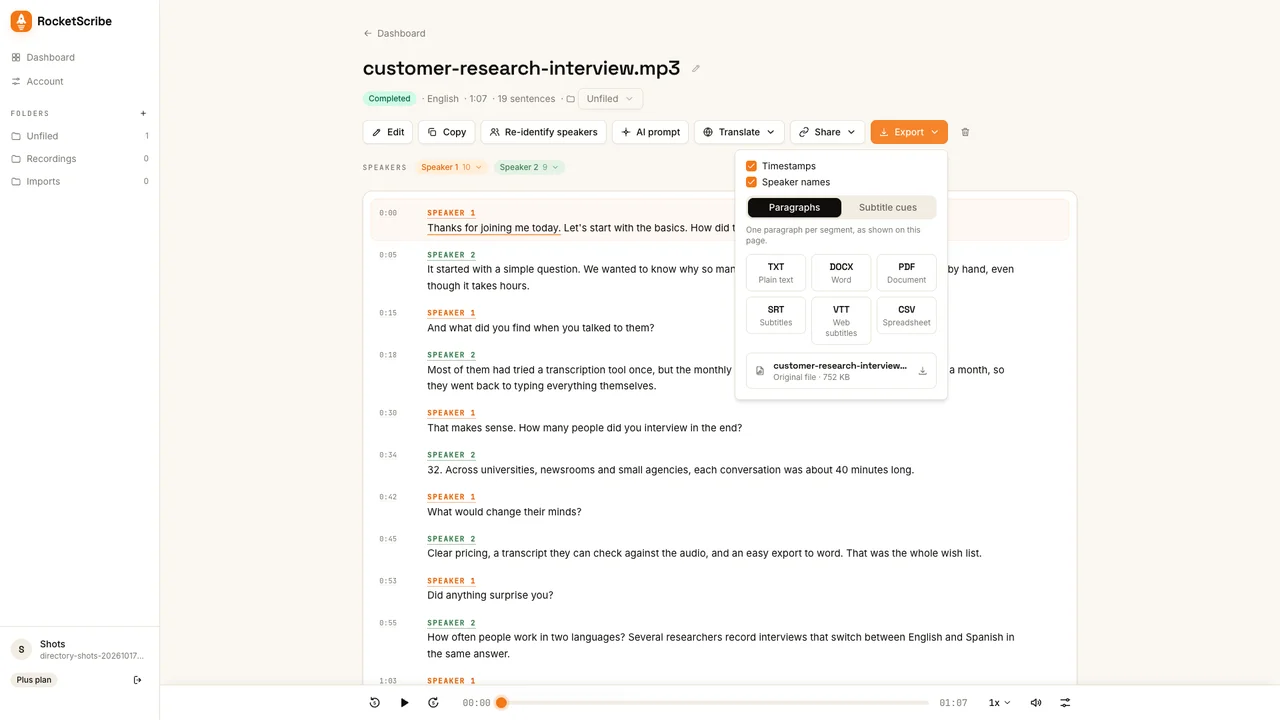
- - Export to TXT, DOCX, PDF, CSV, SRT and VTT, with timestamps and speaker names on or off
- - Import from links: YouTube, Vimeo, X, Facebook, Dropbox, Google Drive and direct media URLs (audio only)
- - Record from your microphone in the browser
- - 20+ input formats: MP3, WAV, M4A, AAC, FLAC, OGG, OPUS (WhatsApp), MP4, MOV, MKV, WEBM and more
- - Resumable uploads up to 5 GB and 10 hours per file on paid plans; batch upload up to 50 files